
Ordering Meal Vouchers
You must order Meal Vouchers if you want your child to choose their lunch in school.
If you DO NOT order a Meal Voucher then your child will receive the default meal of Jacket Potato and Beans.
If you pay for your school meals you will still have to pay for this default meal and you will NOT be able to order anything else online until the debt is cleared.
To Order Vouchers for Multiple Days
Rather than having to click on each day and add a Meal Voucher, you can instead just click the Voucher button as seen below and this will automatically add a Voucher for every day of that week.
You then need to scroll down to the bottom of your screen on a phone, or on the left of your screen on a tablet or PC, and click on Add To Basket.
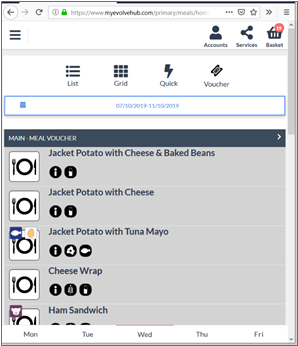
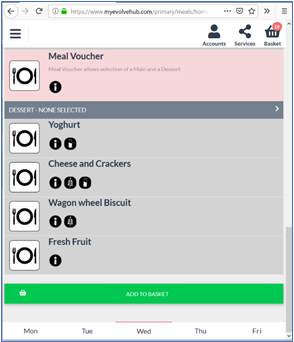
The number on your basket will increase to show that the vouchers are in there.
Once you have finished adding items to the basket you MUST Process the basket, even if you do not pay for meals.
The process button is at the bottom of your basket, you may have to scroll to see it.
If you do not press on Process then the vouchers will NOT be sent down to the school system and your child will be on a default Meal.
If you do not pay for your meals you will get a thumbs up and a thank you for ordering straight away.
If you do pay for your meals, the Stripe payment box will come up, where you can enter your card details.
Comments
0 comments
Article is closed for comments.